Designed to Deceive: How App Permission Prompts Are Engineered to Make You Say Yes
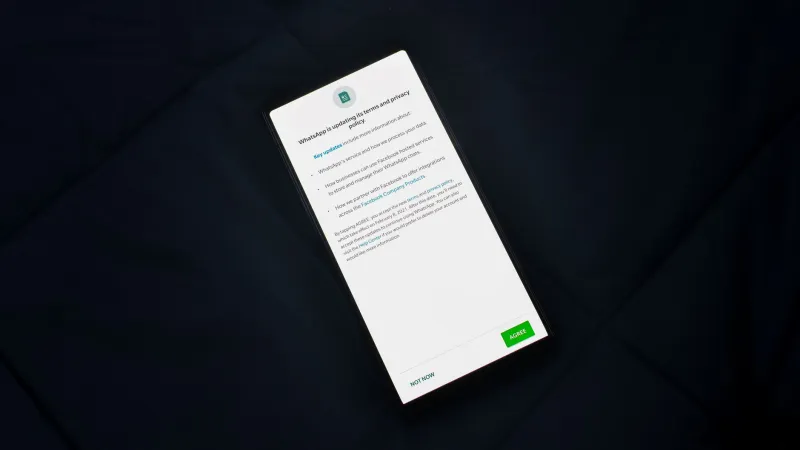
You have seen the prompt dozens of times. An app you just installed pauses, presents a polished dialog box, and asks whether it may access your microphone, your contacts, or your precise location. The button labeled "Allow" is rendered in a bright, inviting color. The button labeled "Don't Allow" is smaller, grayed out, or tucked beneath a line of dense legal language you are not going to read. You tap Allow and move on.
That interaction was not accidental. It was designed — in some cases by entire teams of behavioral researchers — to produce exactly that outcome.
The Psychology Behind the Prompt
The discipline that governs how software interfaces guide human decision-making is called user experience design, or UX. In its ethical form, good UX removes friction and helps people accomplish their goals efficiently. In its exploitative form — a practice researchers have labeled "dark patterns" — UX is used to steer users toward choices that serve the developer's interests rather than their own.
Permission prompts are among the most consequential dark patterns in the modern app ecosystem. Several well-documented psychological mechanisms are routinely exploited in their construction.
Asymmetric visual hierarchy is perhaps the most obvious. When "Allow" appears in a platform's signature blue and "Deny" appears in plain gray text, the visual weight of the interface communicates a preferred answer before the user has processed a single word. Studies in cognitive psychology consistently show that people associate visual prominence with correctness.
Momentum and context priming exploit the fact that users typically encounter permission requests immediately after completing an action they wanted to take — downloading an app, starting a game, or attempting to use a specific feature. The brain is already in an affirmative mode. Interrupting that momentum with a denial feels counterintuitive, so most users simply continue along the path of least resistance.
Vague benefit framing allows developers to describe permissions in ways that emphasize user benefit while obscuring the actual scope of access. A prompt that reads "Allow FunFilter to access your contacts so you can connect with friends" sounds reasonable. It does not explain that the app will upload your entire address book to a remote server, correlate it with advertising profiles, and potentially retain it indefinitely.
What the Platforms Permit — and What They Don't
Both Apple's iOS and Google's Android have introduced successive layers of permission controls over the years, and credit is due for genuine improvements. iOS now allows users to grant location access "only while using" an app rather than at all times. Android 13 introduced granular media permissions, allowing access to photos without granting access to video files. Both platforms have added "approximate location" options as an alternative to precise GPS coordinates.
However, these improvements have also created new opportunities for manipulative prompts. When an app is denied a broad permission, many developers now trigger a secondary dialog — one that is not a system prompt but a custom-built screen designed to re-request the same access with more persuasive language. Because this second screen is entirely developer-controlled, there are no platform restrictions on how it is styled or what it says. Some apps present this screen multiple times across multiple sessions, banking on the statistical likelihood that a user will eventually relent.
This practice is sometimes called "permission re-nagging," and it has become standard behavior across categories ranging from social media to retail apps.
The Permissions That Actually Matter
Not all permission grants carry equal risk. Understanding which categories of access are genuinely sensitive is the first step toward making informed decisions.
Precise location is among the most valuable data points an app can collect. It can reveal where you live, where you work, where you worship, and whom you associate with. When that data is sold to data brokers — a routine practice in the advertising ecosystem — it can be used to build behavioral profiles that persist for years.
Contacts grant access not just to your own information but to the private data of every person in your address book, none of whom consented to share their details with the app in question. Several high-profile breaches over the past decade have originated with contact databases harvested from poorly secured apps.
Microphone and camera permissions are frequently justified by legitimate features — video calls, photo filters, voice search — but they represent a significant attack surface if an app is later compromised or found to be malicious. There is no technical barrier preventing a rogue app from activating these sensors in the background, provided the permission has been granted.
Notifications, while not a traditional "dangerous" permission under platform security frameworks, deserve separate attention. The act of granting notification access trains users to interact with app-generated content reflexively, and it creates a persistent channel through which phishing links, fraudulent alerts, and social engineering attempts can be delivered directly to your lock screen.
Auditing What You've Already Granted
Most Americans have accumulated years of installed apps, and the permissions granted during rushed onboarding processes have likely never been revisited. Conducting a permission audit is a straightforward process that takes less than fifteen minutes.
On iOS, navigate to Settings, then Privacy & Security. Each permission category — Location Services, Contacts, Microphone, Camera, and so on — displays a list of every app that has been granted that access. Review each list and revoke access for any app that does not have a clear, functional reason to hold it.
On Android, the equivalent path is Settings, then Privacy, then Permission Manager. The interface is organized by permission type, and each entry allows you to adjust access on a per-app basis.
When evaluating whether an app's permission request is legitimate, apply a simple test: if the app would function meaningfully without the permission, the request is likely opportunistic rather than necessary. A flashlight app has no functional reason to access your contacts. A recipe app has no functional reason to know your precise GPS coordinates.
The Notification Channel as a Threat Vector
It is worth dwelling specifically on notification permissions, which receive less scrutiny than location or microphone access despite their role in a growing category of social engineering attacks.
Browser-based push notifications — enabled through a permission prompt that many users accept without reading — have become a favored delivery mechanism for scam campaigns. Once granted, these permissions allow any website to send alert-style messages that appear visually indistinguishable from legitimate system notifications. Security researchers have documented campaigns in which fraudulent push notifications mimic bank alerts, package delivery updates, and government notices, directing recipients to credential-harvesting pages.
Reviewing and revoking browser notification permissions is as important as auditing app permissions. In Chrome, this is accessible under Settings, Privacy and Security, Site Settings, Notifications. Safari users can manage these permissions under Settings, Safari, Notifications on iOS, or through Safari Preferences on macOS.
Reclaiming the Default
The most durable protective habit a user can develop is to treat "Allow" as the exceptional response rather than the default one. Platform defaults have shifted meaningfully in recent years — both iOS and Android now default to denying most sensitive permissions until explicitly granted — but the behavioral conditioning produced by years of manipulative prompts works against this protection.
Approaching each permission request as a discrete decision, rather than an obstacle to dismiss, is a small cognitive shift with significant long-term security implications. The prompt is asking for something real. The question worth asking in return is whether the exchange is worth it.