Buzz, Gone, Repeat: The Unsettling Truth Behind Notifications That Vanish Before You Can Touch Them
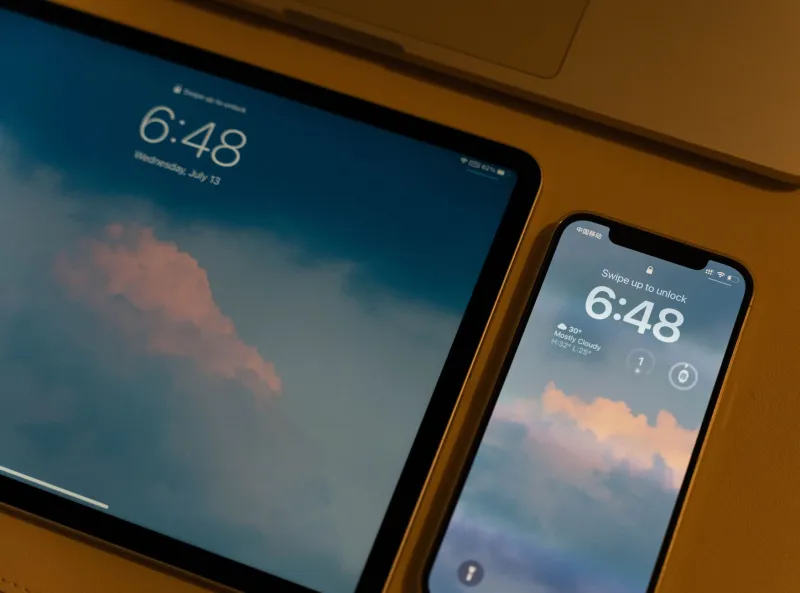
You are driving. Your phone vibrates in the cupholder. By the time you glance at the lock screen — legally, at a red light — there is nothing there. No badge, no banner, no trace. Later, you check the app in question and find no new messages, no activity, no explanation.
This is not a hallucination, and it is not a minor software glitch you should quietly dismiss. For a growing number of Americans, these so-called ghost notifications have become a routine irritant. What they represent beneath the surface, however, is a more complicated story — one that touches on app architecture, behavioral psychology, and, in some cases, legitimate security concerns.
What Is Actually Happening When a Notification Vanishes
To understand phantom alerts, it helps to understand how the modern notification pipeline works. On both iOS and Android, apps do not generate notifications entirely on their own. They rely on push notification services — Apple Push Notification Service (APNs) on iOS and Firebase Cloud Messaging (FCM) on Android — to deliver signals from remote servers to your device.
When a server sends a push payload, your operating system receives it, evaluates it, and decides how to surface it. If the notification is dismissed by the app itself before the OS renders it visually — or if it arrives while the device is transitioning between states — it can register briefly in the system log without ever appearing as a readable alert. The result is a vibration with no visible content.
This can happen for entirely mundane reasons: a race condition in app code, a server-side retraction, or a duplicate suppression mechanism firing a fraction of a second too late. Software is imperfect, and notification delivery is not a guaranteed, atomic process.
But mundane explanations do not cover every case.
The Dark Pattern Hypothesis
Behavioral researchers and UX critics have increasingly pointed to a more deliberate mechanism. The term "dark pattern" refers to interface design choices that manipulate users into behaviors that serve the platform rather than the person. In the context of notifications, the relevant behavior is compulsive checking.
Consider what happens after you feel that phantom buzz. You pick up the phone. You unlock it. You open the app. Even if nothing is there, the platform has achieved its primary objective: re-engagement. You are back inside the product. The algorithm now has fresh data about your usage patterns, your responsiveness, and your current activity window.
Several consumer advocacy organizations have raised concerns that some apps deliberately send silent or near-silent notifications — technically delivered but visually suppressed — specifically to trigger this checking behavior without generating the kind of obvious notification fatigue that causes users to revoke permissions entirely. Whether this constitutes a widespread, coordinated practice or an emergent consequence of aggressive engagement metrics is difficult to prove from the outside. What is clear is that the incentive structure exists and that the technical capability is well within reach of any competent engineering team.
When Background Activity Becomes a Security Concern
Beyond psychological manipulation, there is a harder security question embedded in phantom notifications: what data is being transmitted when your device receives one?
Every push notification, even a silent one, carries a payload. That payload is sent from a remote server to your device and processed by the receiving app. Depending on how the app handles it, that interaction can trigger background code execution — fetching updated content, syncing local data, logging device state, or transmitting telemetry back to the server.
Under Apple's guidelines, background refresh triggered by silent push notifications is supposed to be limited in scope and frequency. Android's framework imposes similar constraints. But enforcement is imperfect, and apps that violate these rules are not always caught before they reach millions of devices.
In practical terms, this means that a notification you never saw may have prompted your phone to report your location, your battery level, your network connection, or your device identifiers to a third-party server — all without your awareness or explicit consent.
How to Audit Your Notification Permissions Right Now
The most immediate step any user can take is a systematic review of which apps hold notification access and whether that access is proportionate to the app's actual function.
On iPhone (iOS 16 and later): Navigate to Settings → Notifications. Scroll through the full list. For each app, assess whether notifications serve a genuine purpose for you. Pay particular attention to apps that have "Allow Notifications" enabled but that you rarely open — these are prime candidates for phantom activity. You can also review which apps have background app refresh enabled under Settings → General → Background App Refresh.
On Android (varies by manufacturer): Go to Settings → Apps → [Select App] → Notifications. Android also provides a useful aggregated view under Settings → Notifications → App Notifications, which sorts apps by notification frequency. For background data usage, check Settings → Network & Internet → Data Usage and filter by background consumption.
For users who want deeper visibility, third-party tools such as Bouncer (Android) allow temporary, session-based permission grants, reducing the window during which an app can operate in the background between active sessions.
What the Transmission Itself May Reveal
If you have reason to believe a specific app is behaving anomalously — buzzing your phone at odd hours, consuming background data without obvious cause, or generating notifications that vanish before they can be read — network-level monitoring can provide answers that the operating system's native tools will not.
Apps such as NetGuard (Android) or the built-in Screen Time network reporting on iOS can show you which domains your apps are contacting and when. If a fitness tracker is pinging an advertising server at 3 a.m., that is worth investigating regardless of whether a visible notification was ever generated.
You are not required to have technical expertise to act on this information. If an app's background network behavior seems disproportionate to its stated purpose, removing it entirely is a reasonable and proportionate response.
The Broader Accountability Gap
The deeper issue is structural. Neither Apple nor Google provides users with a complete, accessible log of every notification payload received by their devices. The data exists — it passes through their infrastructure — but it is not surfaced to the person whose phone received it. This opacity benefits platforms and developers at the direct expense of user awareness.
Until regulatory frameworks catch up — and proposals like the American Data Privacy and Protection Act suggest that federal-level attention is slowly arriving — individual users remain largely dependent on their own vigilance.
That vigilance starts with a simple premise: your phone buzzing is not a trivial event. It is a data transaction. Treating it as such, and periodically auditing who initiated it and why, is one of the more straightforward security habits available to anyone with a smartphone and ten minutes.
The notification you never saw may have said more about you than you realize.